Market listings
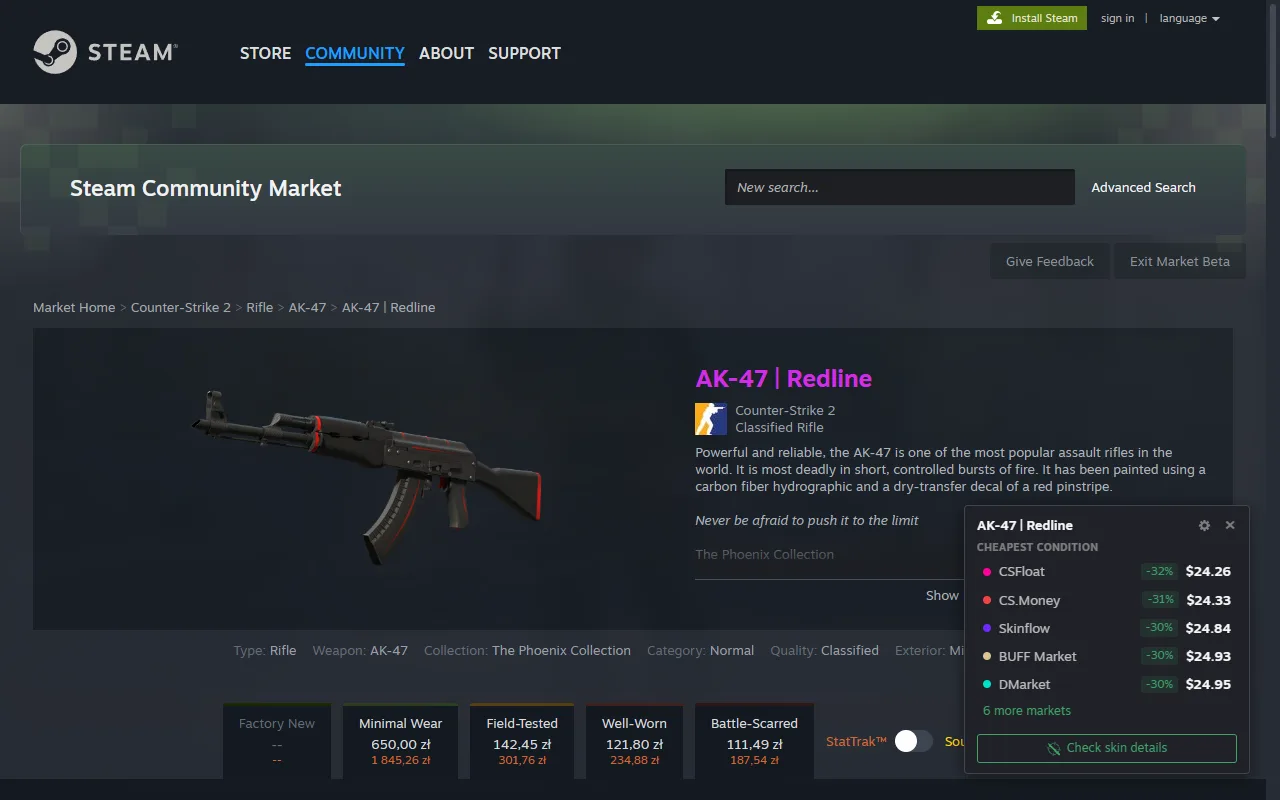
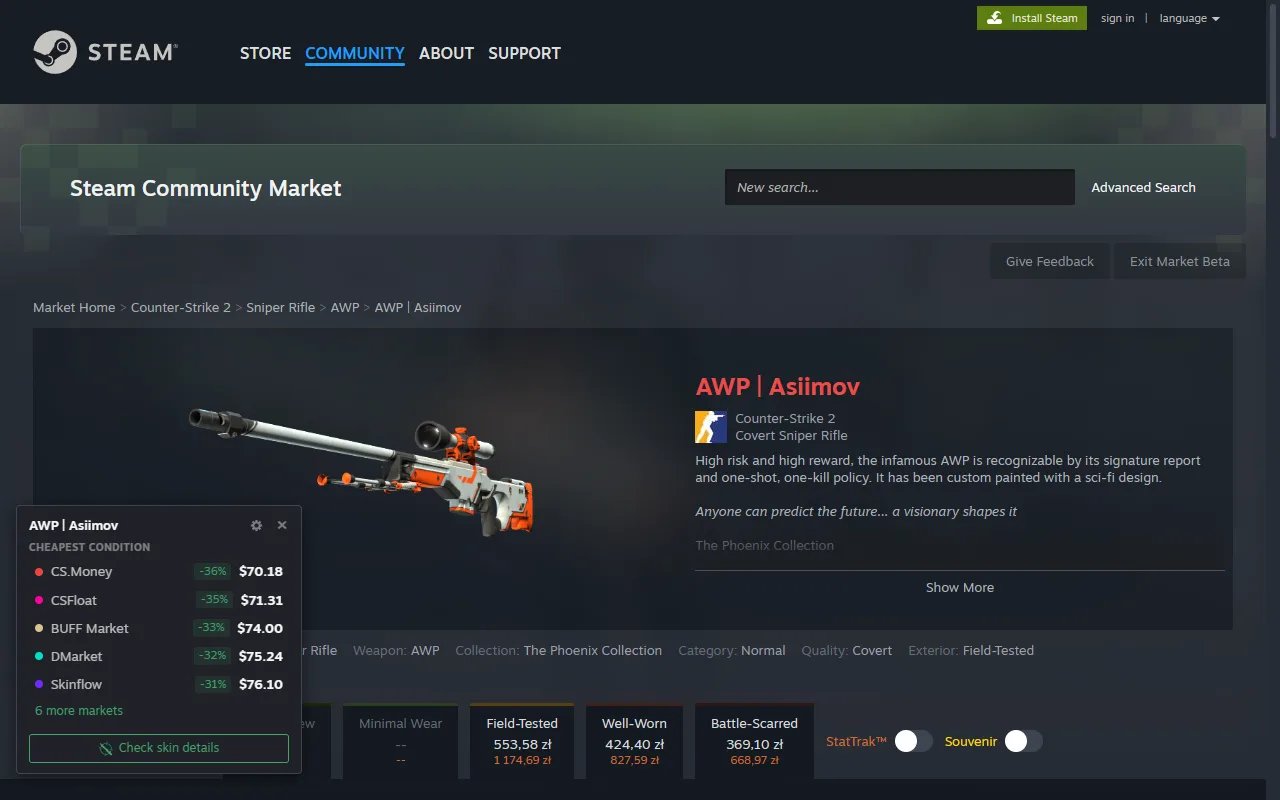
Prices for the exact skin and condition on the page. Works on the classic market layout and the new Market Beta, following the exterior and StatTrak filters you pick.
Check CS2 skin prices without leaving Steam: a small panel on Market listings and inventories compares marketplace prices and links the item on SkinSniper.
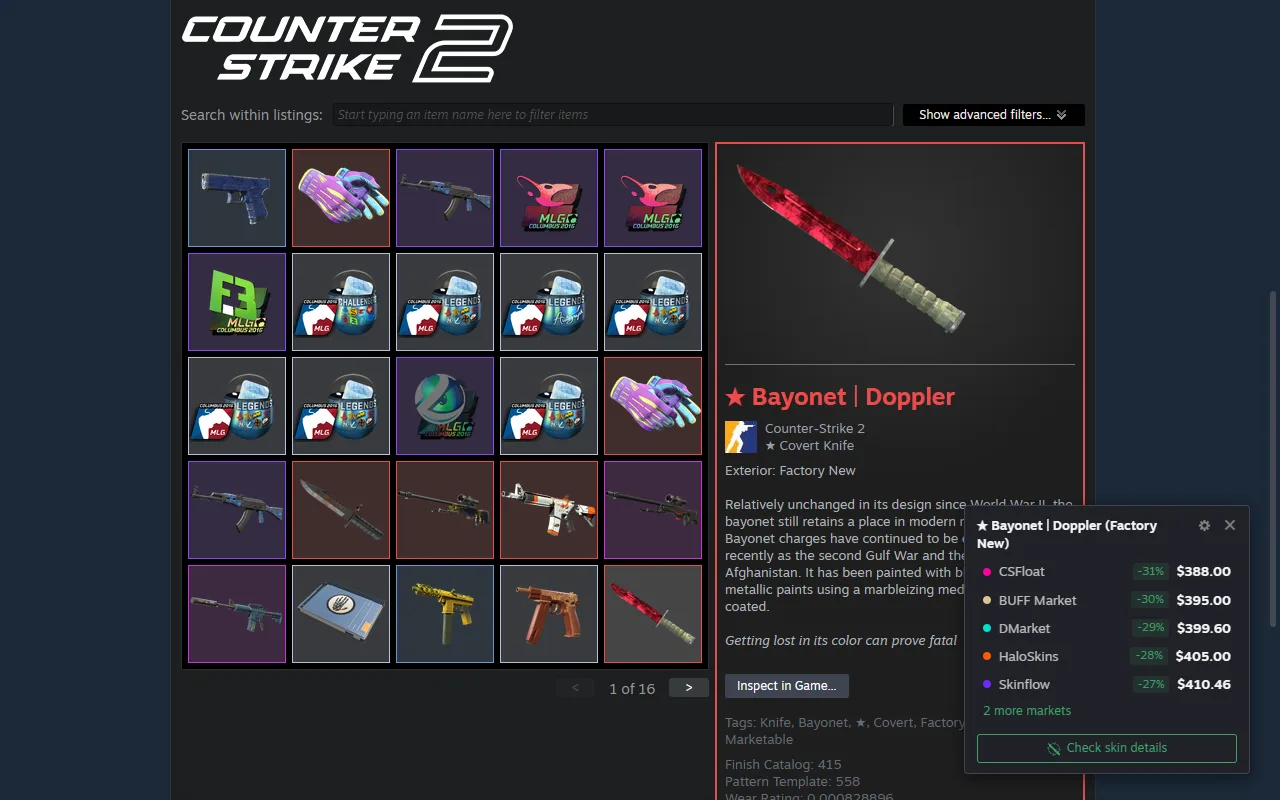
Open a CS2 item on Steam and the panel lists its price on 11 marketplaces, sorted from cheapest, each with its difference vs the Steam price.
Prices for the exact skin and condition on the page. Works on the classic market layout and the new Market Beta, following the exterior and StatTrak filters you pick.
Click an item in any public Steam inventory to see its prices. The panel also links the inventory value calculator for that profile.
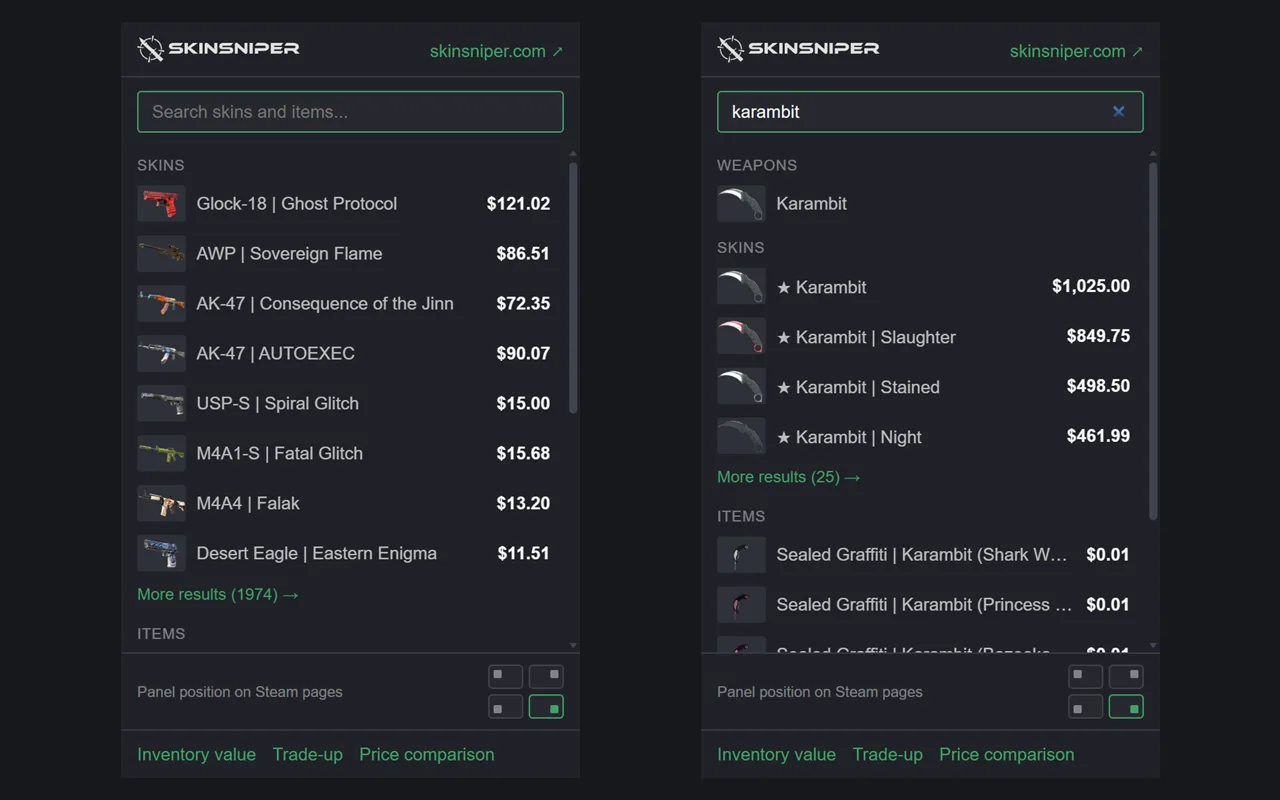
Search the CS2 skin catalog, see the item from the current tab and open the trade-up and price comparison tools.
Each marketplace row carries a badge with how much cheaper or pricier it is than the Steam listing.
If you use skinsniper.com, the panel shows prices in the currency and language you picked there.
Drag the panel anywhere, pick its corner in the popup, or collapse it to a small logo until you need it.
Available for Chrome and Firefox; Opera and other Chromium browsers install it from the Chrome Web Store. No account and no setup - it works right after installing.
Browse the Community Market or click an item in a public inventory. The panel appears with that item's marketplace prices.
The toolbar popup sets which corner the panel sits in; you can also drag it anywhere on the page.